Invoice Maker
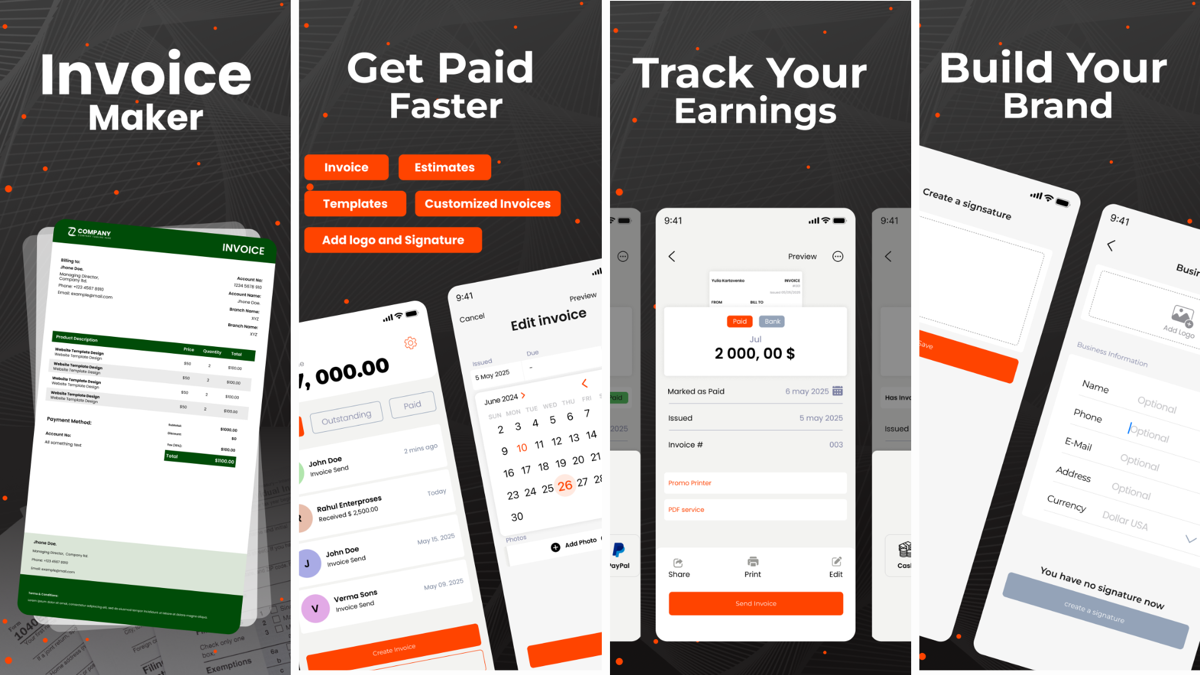
Create professional invoices in 60 seconds. Recurring billing, client management, and PDF export included.
The Freelancer Billing Problem
Creating invoices in Word or Google Docs is slow and looks unprofessional. Dedicated invoicing software costs $15-30 per month. Unclear invoices lead to late payments. And there's no easy way to track who's paid and who hasn't.
Invoice Maker solves this. Create beautiful, professional invoices in 60 seconds. Set up recurring billing for retainer clients. Track payment status. All free to use on your iPhone.
Everything You Need to Bill Like a Pro
⚡ 60-Second Invoices
Fill in client details, add items, set payment terms. Create a professional invoice in less than a minute.
🎨 Custom Branding
Add your logo, choose colors, and include custom notes. Every invoice looks like it's from your business.
🔄 Recurring Billing
Set up automatic recurring invoices for monthly retainers. Let the app do the work.
📊 Track Payments
Mark invoices as paid, pending, or overdue. Never lose track of who owes you money.
👥 Client Management
Save client details for reuse. Create invoices for repeat clients in seconds.
📧 PDF & Email
Export as PDF or email directly from the app. Share invoices with one tap.
Real-World Uses
- Freelance designer: Bill clients for each project with branded invoices that reflect your professionalism.
- Contractor: Invoice after job completion with detailed line items and payment terms.
- Tutor: Send monthly invoices to parents for ongoing lessons. Track which families have paid.
- Small shop owner: Create wholesale invoices for bulk orders to retailers.
- Consultant: Automate monthly retainer invoicing for recurring clients. Set it and forget it.
How Invoice Maker Compares
| Feature | Invoice Maker | FreshBooks | QuickBooks | Word/Google Docs |
|---|---|---|---|---|
| Create invoices | ✓ | ✓ | ✓ | ✓ |
| iOS app | ✓ | ✓ | ✓ | ✗ |
| Recurring billing | ✓ | ✓ | ✓ | ✗ |
| Payment tracking | ✓ | ✓ | ✓ | ✗ |
| Client management | ✓ | ✓ | ✓ | ✗ |
| Monthly cost | Free | $15-25 | $10-30 | Free |
| Payment acceptance | ✗ | ✓ | ✓ | ✗ |
How It Works in 3 Steps
Add Your Details
Enter client information, add line items with descriptions and amounts, and set your payment terms.
Customize & Brand
Add your logo, choose brand colors, include custom notes. Make it look professional.
Send & Track
Export as PDF, email directly, or save for later. Track payment status from your phone.
Frequently Asked Questions
Is Invoice Maker really free?
Can I set up recurring invoices?
Can I customize my invoices with my brand?
Can I send invoices by email?
Does Invoice Maker accept payments?
Is my data secure?
Start Invoicing Today
Available on iOS. Free to download and create unlimited invoices.
Learn More About Invoicing & Freelancing
Invoicing 101: How to Bill Like a Professional
Learn the essentials of creating invoices that get paid on time. What to include, how to format, and best practices for follow-up.
Managing Recurring Revenue: The Retainer Model
Set up recurring billing for your freelance business. Learn how to price retainers and automate invoicing for consistent income.
Getting Paid Faster: Payment Terms That Work
Strategies to reduce payment delays. Payment terms, deposit policies, and follow-up templates that actually work.